
Purchase in 3 seconds — no queue
The cashier enters the customer's code, types the amount and confirms. The system calculates cashback, tier, coupon and point limits itself. 5 minutes of training is enough.
From sign-in to end of day
Sign-in: login and PIN
The cashier enters the "name@company" login and a personal PIN. The app can be installed on the phone's home screen — next time it opens with one tap.
PIN of at least 6 digits · wrong attempts are limited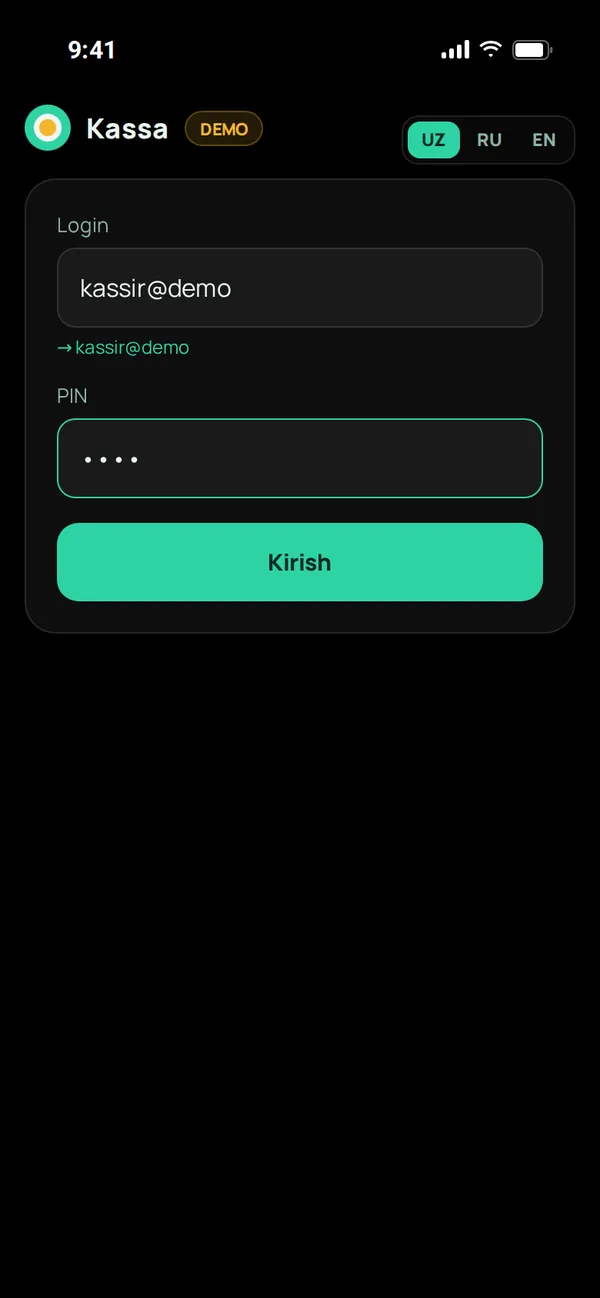
Find a customer — 4 ways
QR scanning with the camera, a USB/Bluetooth scanner, a 6-digit code the customer says, or a phone number. A new customer can be added right there with a phone number and name.
The scanner works like a keyboard — nothing to configure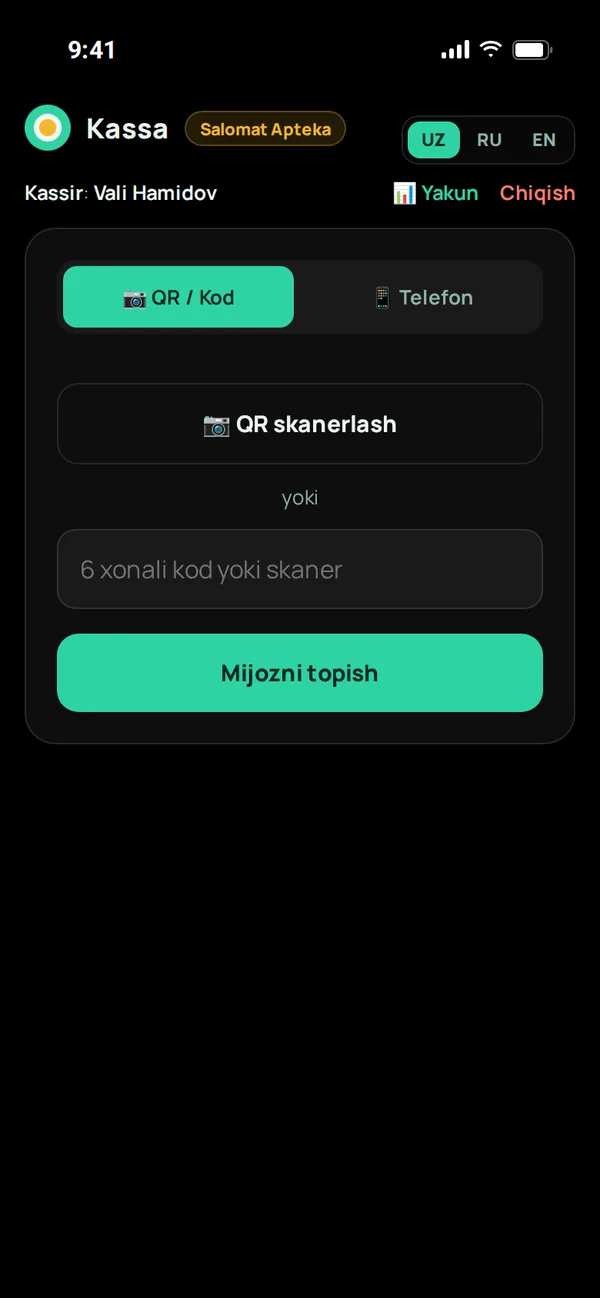
Amount, points and coupon
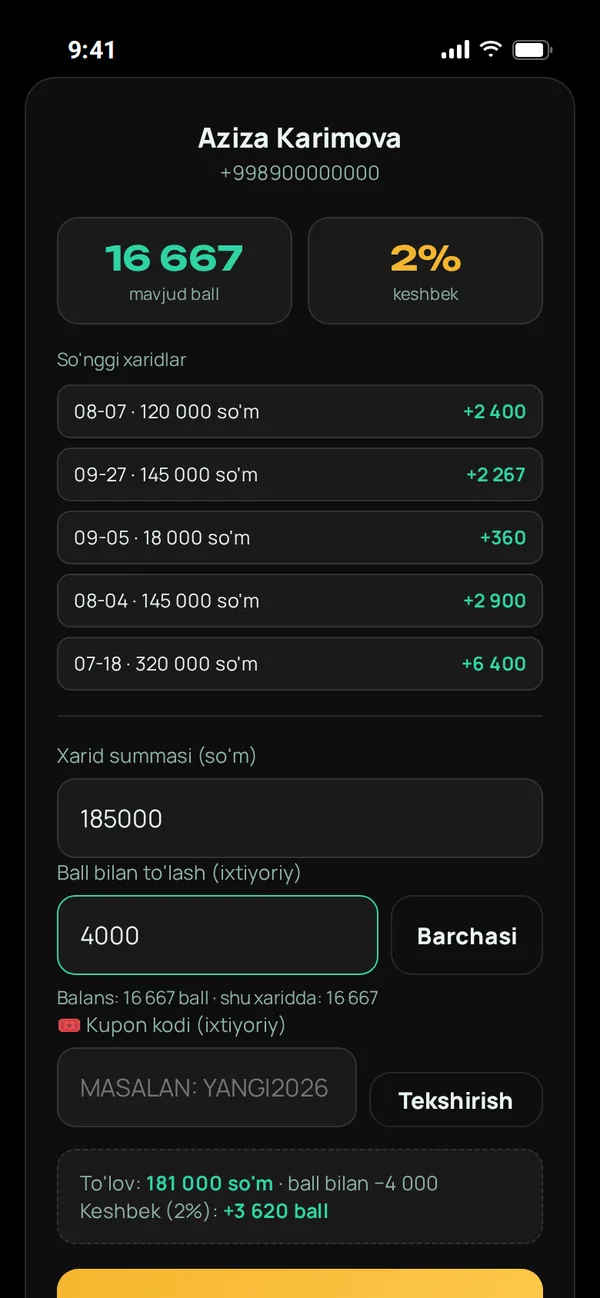
The customer's balance, cashback percentage and recent purchases are shown. The cashier types the amount; the customer can pay with points if they wish (the "All" button sets the allowed maximum) and say a coupon code. The result is previewed below.
Payment, points to redeem and cashback to earn — before confirmationConfirmation and receipt
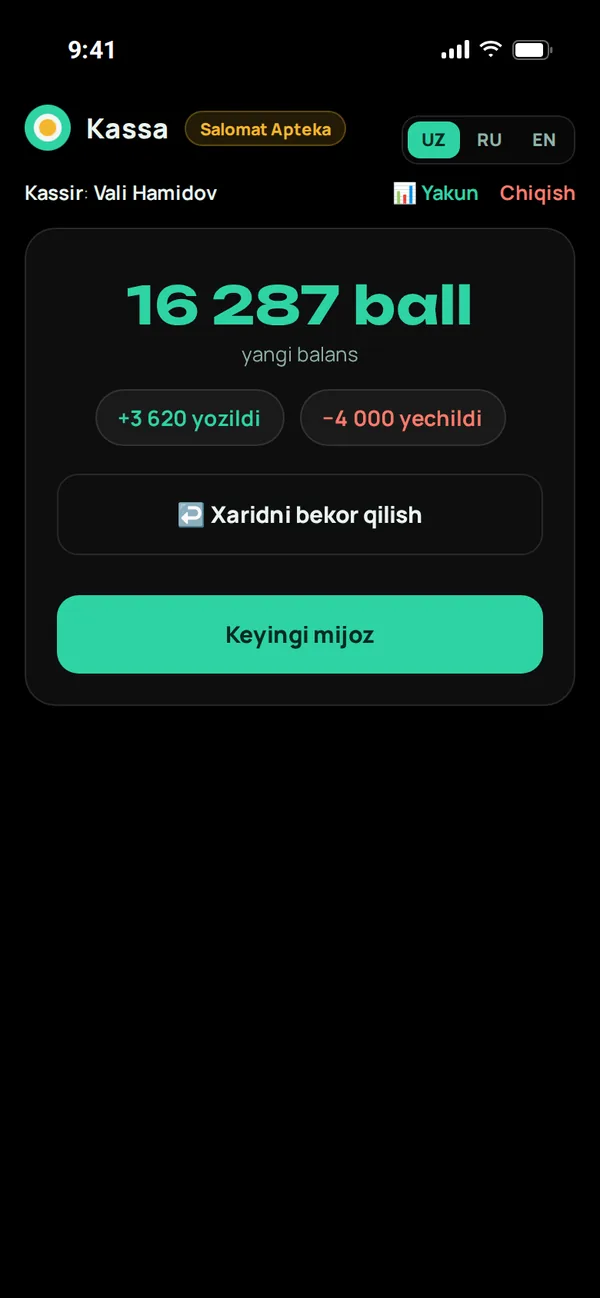
One tap — the purchase is recorded. The cashier sees the new balance, and the customer gets a receipt in Telegram. If there's a mistake, "Cancel purchase" returns both the points and the stock.
Even if tapped twice, the purchase is recorded onceEnd of day
The "Summary" button shows today's purchase count, revenue, and points issued and redeemed. At night the bot sends each cashier a report on their shift.
In Tashkent time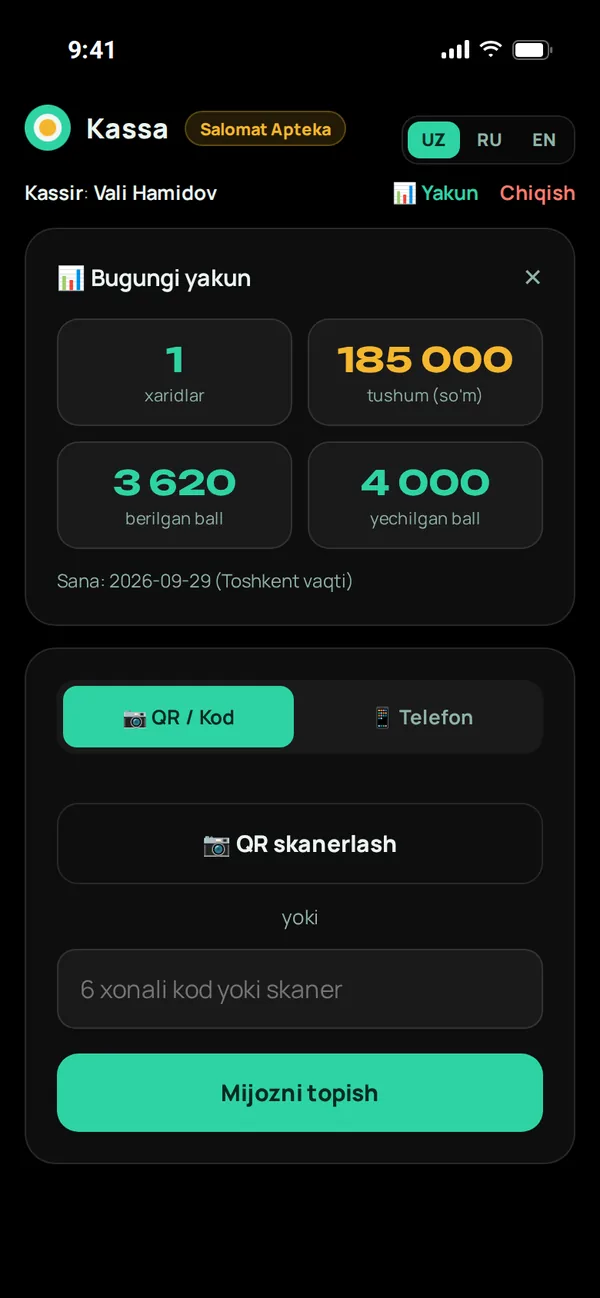
Offline mode
Internet down — sales go on
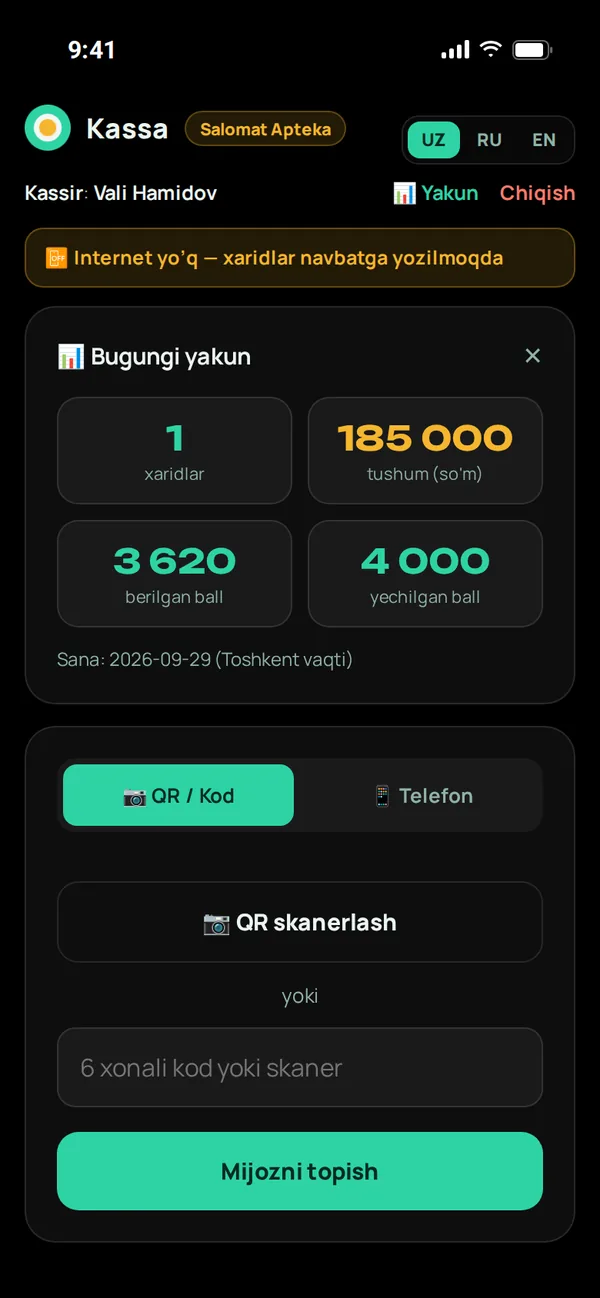
If the connection is lost, the cashier app shows a yellow warning and saves purchases to a queue in device memory. As soon as the internet returns, the queue is sent automatically — the cashier does nothing.
- Customers can be found by phone number even offline
- Sale time is saved according to the checkout clock
- Even if sent again, the purchase isn't recorded twice
- Purchases rejected by the server are shown in a separate list
Protection against cashier errors and abuse
Besides being fast, the cashier app protects customers' points and your money.
Points can only be redeemed with a code
A customer found by phone is only credited cashback. Redeeming points requires the customer's own code or QR — that is their consent.
Limits
You decide what share of a purchase can be paid with points. An unreasonably large amount (an extra "0" typed) is not accepted.
Points can't be added manually
A cashier can't add points on their own. Point adjustments happen only in the admin panel, with a comment, and are kept in history.
Each cashier has their own PIN
Each purchase records which cashier and branch made it — rankings and reports are based on this.
Protection against password guessing
Wrong PIN attempts are limited by IP and by account — PINs can't be brute-forced.
The store never stops
Even if the subscription payment is late, the cashier app keeps working — the next shopper in line isn't to blame.
Questions about the cashier app
Does it work with our existing POS software?
The Minta cashier app runs in a separate window next to your existing software — nothing has to be replaced. Your product list can be connected via API or Excel.
What scanner do I need?
Any USB or Bluetooth barcode/QR scanner that works like a keyboard. No scanner? A phone camera is enough.
How do I add a cashier?
In the panel's "Cashiers" section you enter the name, phone, branch and PIN. The cashier can start working right away. The number depends on your plan.
Who cancels a wrong purchase?
The cashier uses the "Cancel purchase" button on the result screen. Points are returned, sold items go back to that branch's stock and the action is saved in history.
More features
Customer app
A loyalty card inside Telegram
Telegram bot
Sign-up, purchase receipts, greetings and broadcasts
Cashier app
QR, scanner and offline sales
Control panel
Statistics, customers, reports
Marketing tools
Tiers, coupons, referral program, segments
Catalog and branches
Products, stock, import, map
Launch your loyalty program today
Try it free for 7 days. We open the account for you and help connect cashiers and set up the bot.