
Import
Four ways to upload
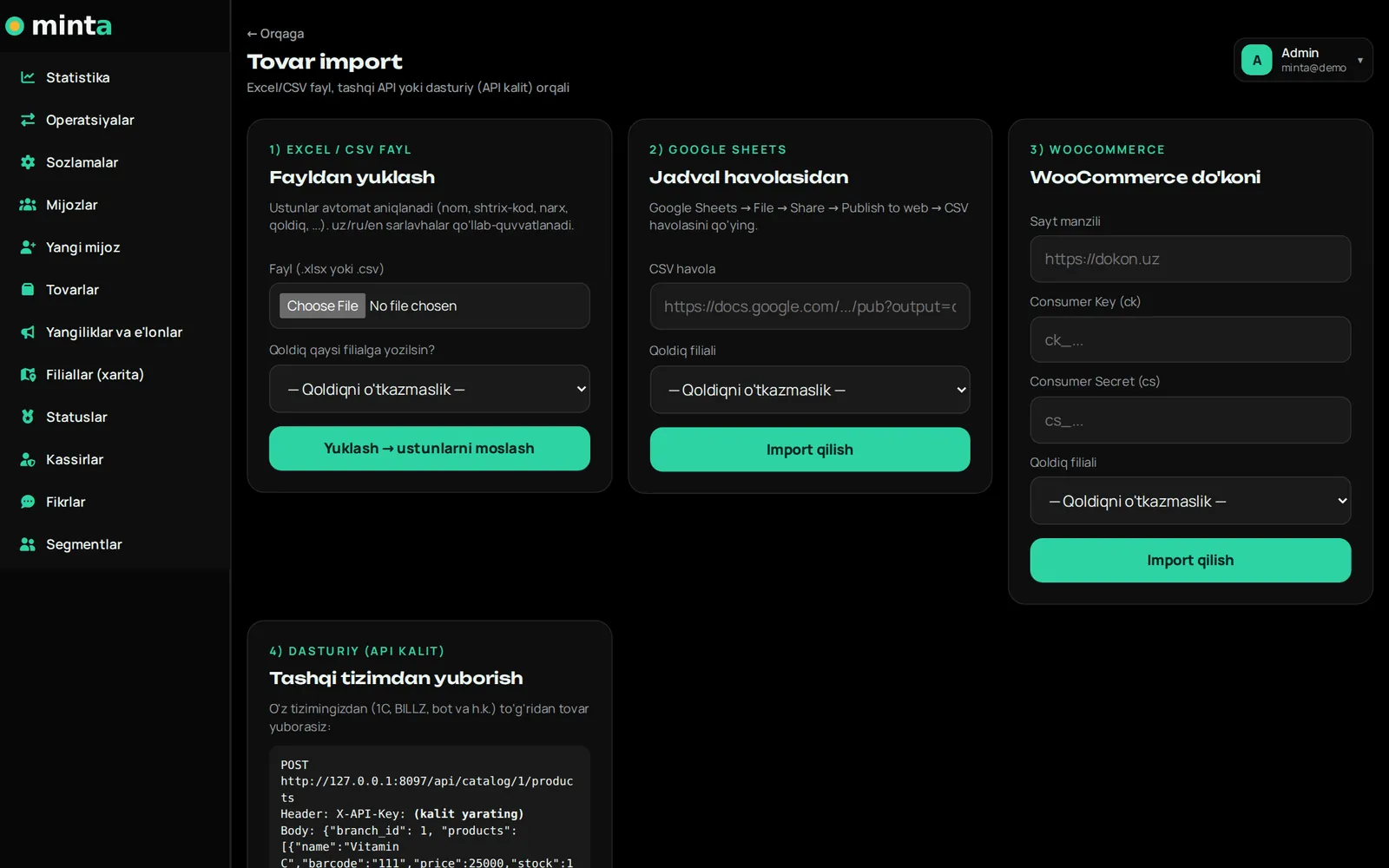
Whatever system you use, you don't have to re-enter your products.
- Excel/CSV — drop in a file and pick a field for each column. The system guesses columns itself (Uzbek and Russian headers too)
- Google Sheets — paste the spreadsheet link
- WooCommerce — directly with your site keys
- API — automatic sync from your own accounting system (with a personal API key)
Stock
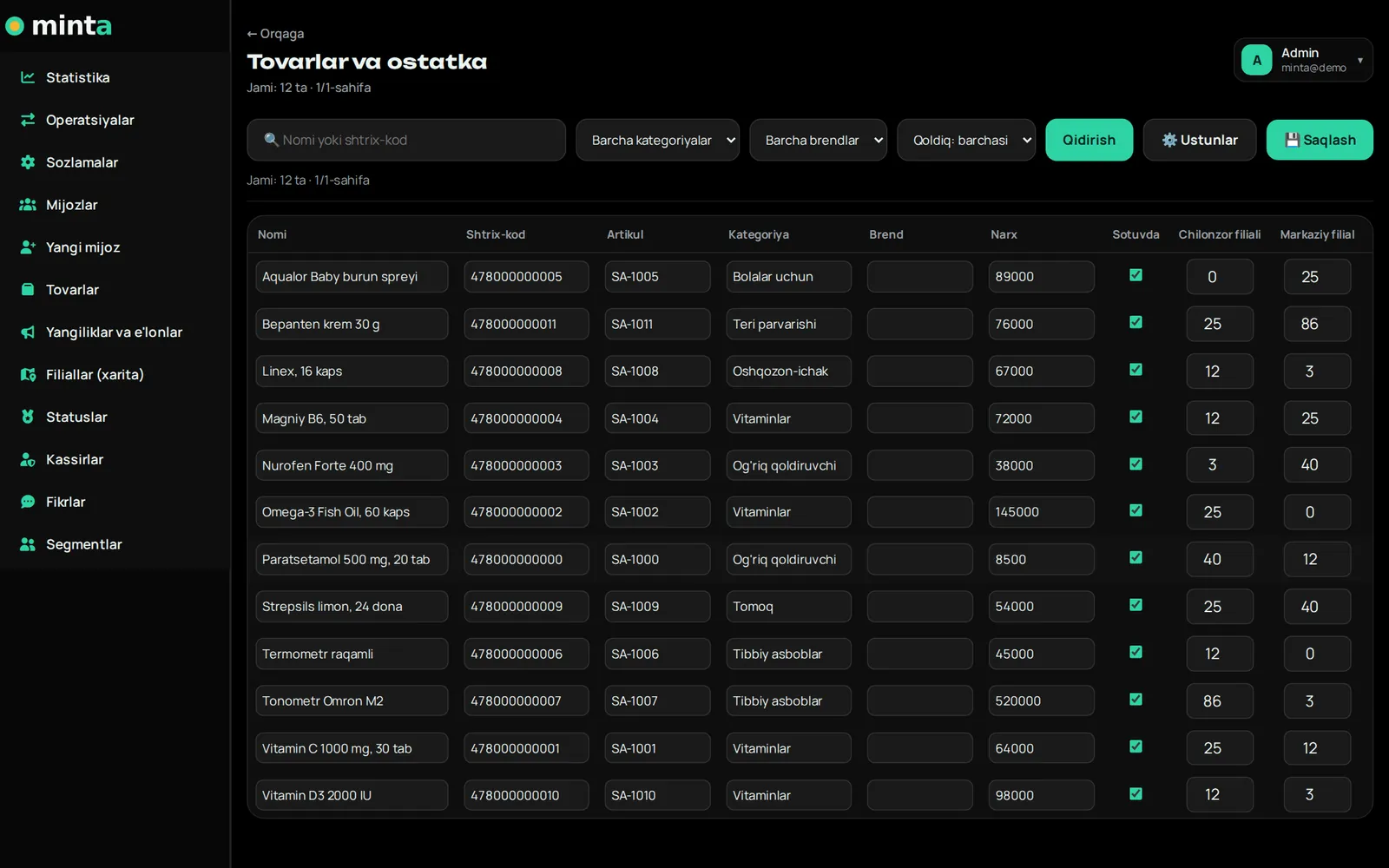
Stock tracked separately per branch
The table shows each product's barcode, SKU, category, price and quantity at every branch. You edit values right there.
- When a product is sold, that branch's stock decreases
- If a purchase is cancelled — the item goes back to stock
- Filter by search, category and brand
- Temporarily remove from sale — with a single checkbox
Through the customer's eyes
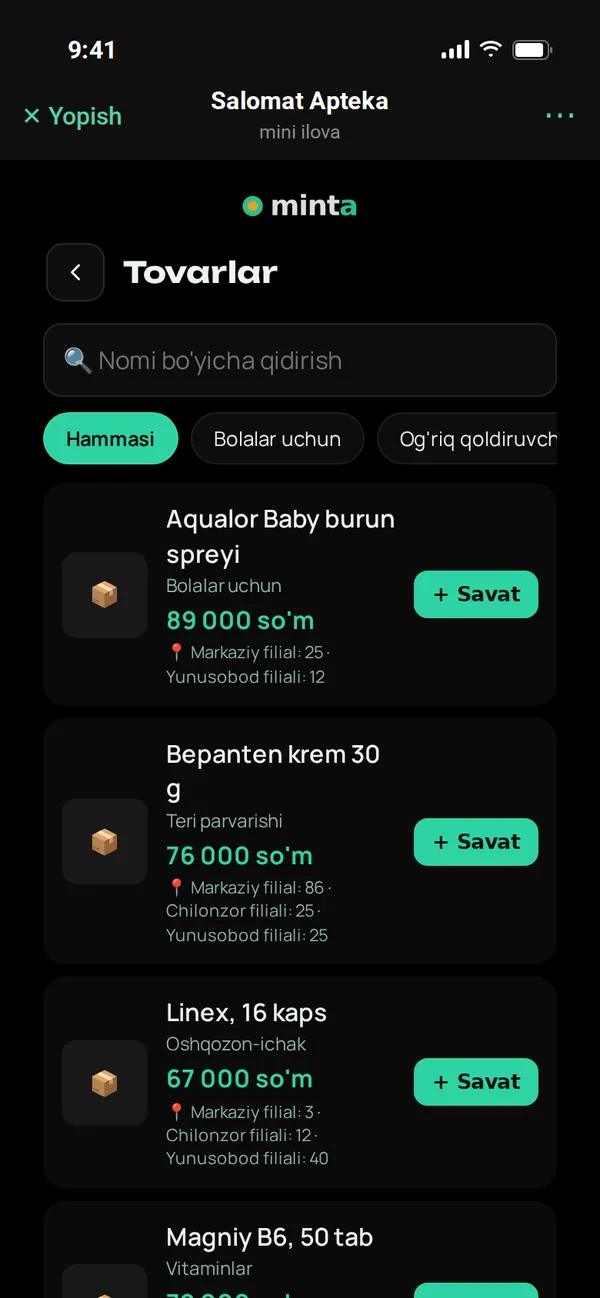
Catalog in the Telegram app
Customers search products, filter by category, see prices and stock at each branch and add to cart. Fewer calls to the store asking "do you have it?".
Branches map
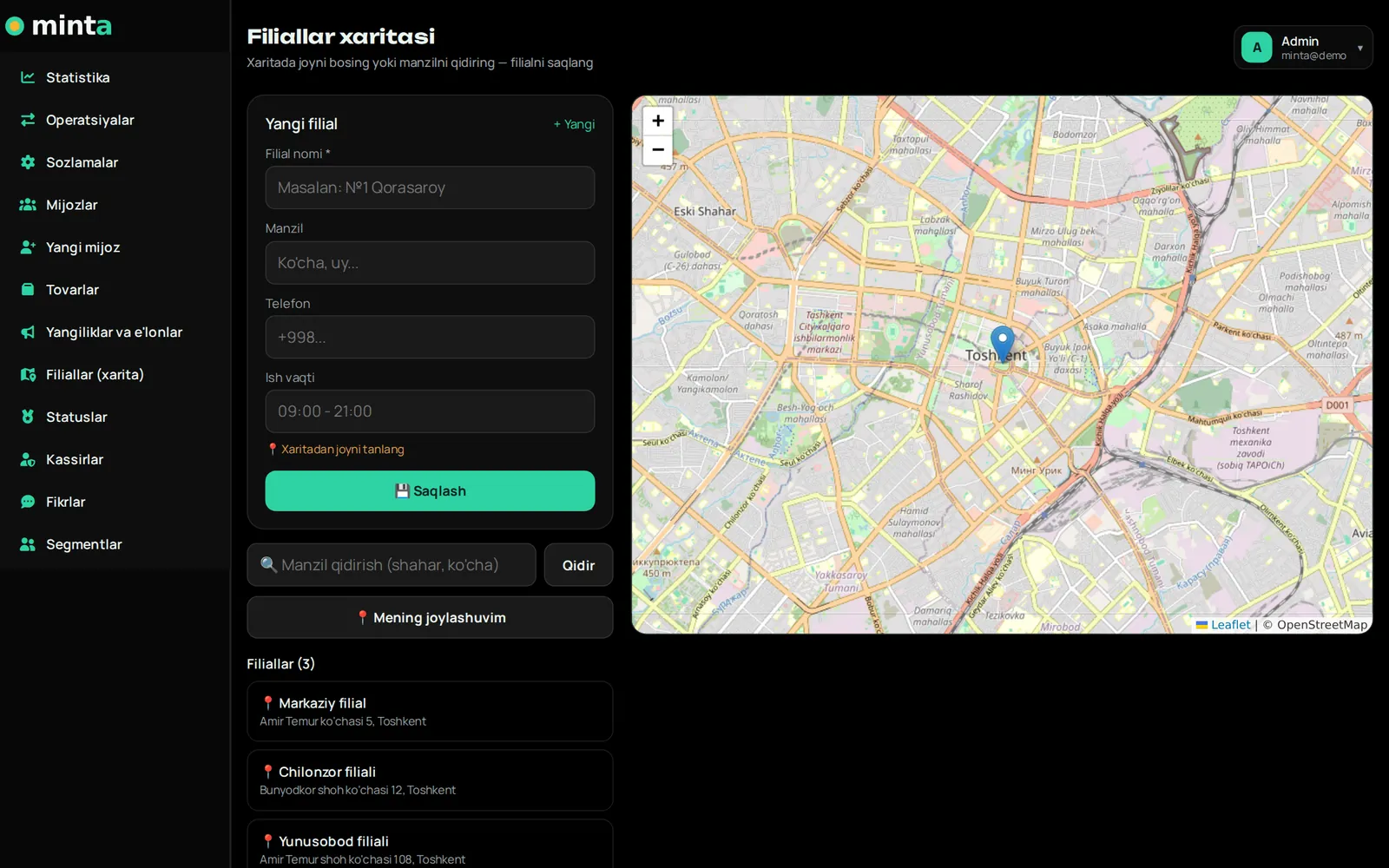
Mark a branch on the map with one click
Search for an address or click the map — the coordinates fill in automatically. Enter the name, phone and opening hours. A branch map and directions button appear in the customer app.
- OpenStreetMap — no API key or payment required
- "Open / closed" status based on opening hours
- A separate QR banner for each branch
Questions about the catalog
Can I work without a catalog?
Yes. The catalog is optional: the cashier only enters the purchase amount, and cashback is calculated from it. The catalog is for showing customers your products and tracking stock.
Will products be duplicated if I import again?
No. Existing products are updated and new ones are added — the result shows how many are new and how many were updated.
How does the API work?
You create a personal API key in the panel, and your accounting system sends products as JSON. A sample request is shown in the panel itself.
More features
Customer app
A loyalty card inside Telegram
Telegram bot
Sign-up, purchase receipts, greetings and broadcasts
Cashier app
QR, scanner and offline sales
Control panel
Statistics, customers, reports
Marketing tools
Tiers, coupons, referral program, segments
Catalog and branches
Products, stock, import, map
Launch your loyalty program today
Try it free for 7 days. We open the account for you and help connect cashiers and set up the bot.