
Your own bot — constant contact with customers
Each company works with its own Telegram bot. The bot signs customers up, sends a receipt after every purchase, sends birthday greetings and delivers your promotions. No SMS costs.
Sign up
Language, phone, name, birthday — done
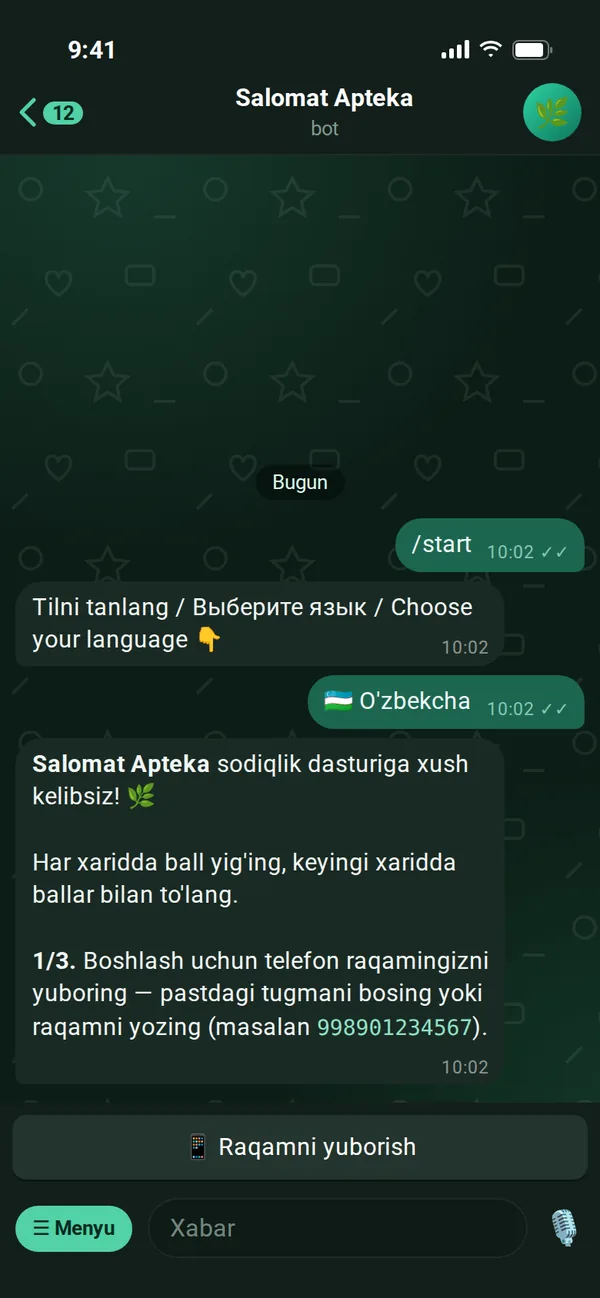
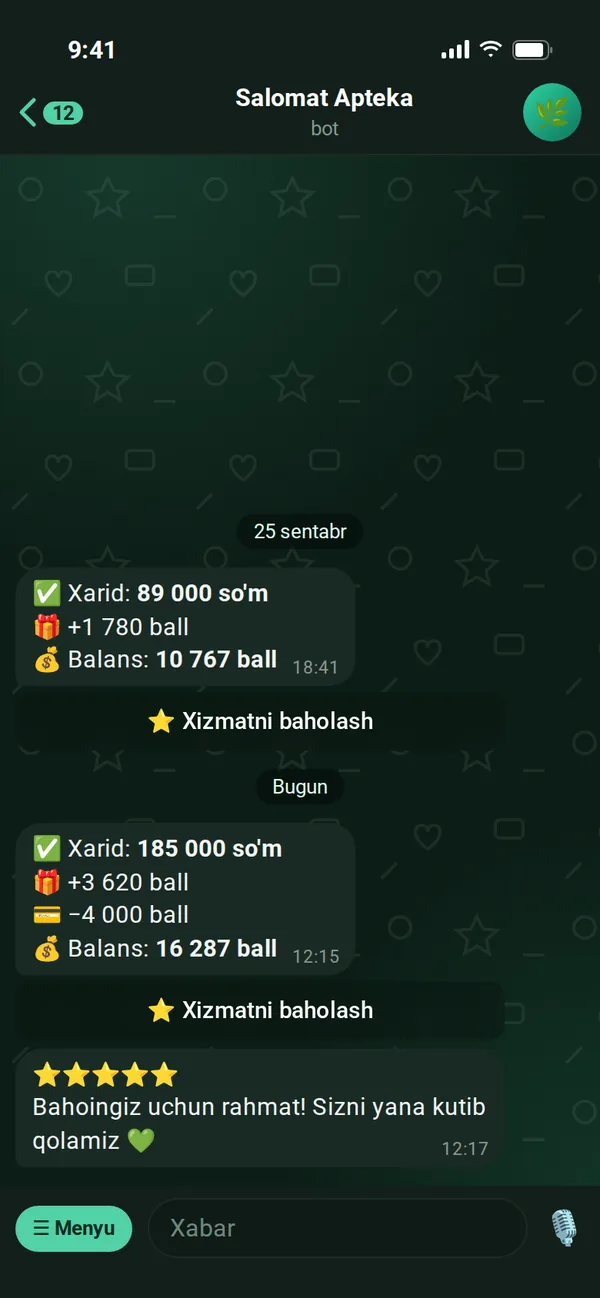
The customer taps /start or scans the QR by the checkout. The bot first asks for a language, then collects details in three steps. The phone number is sent via a Telegram button — no typos possible.
- The Telegram name appears as a ready button — no typing needed
- If they don't want to share their birthday, they can skip it
- A welcome bonus is credited the moment they sign up
- If they come via a friend's link — the referrer gets a bonus too
- The language can be changed later with the /til command
Purchase receipt
After every purchase — a receipt in Telegram
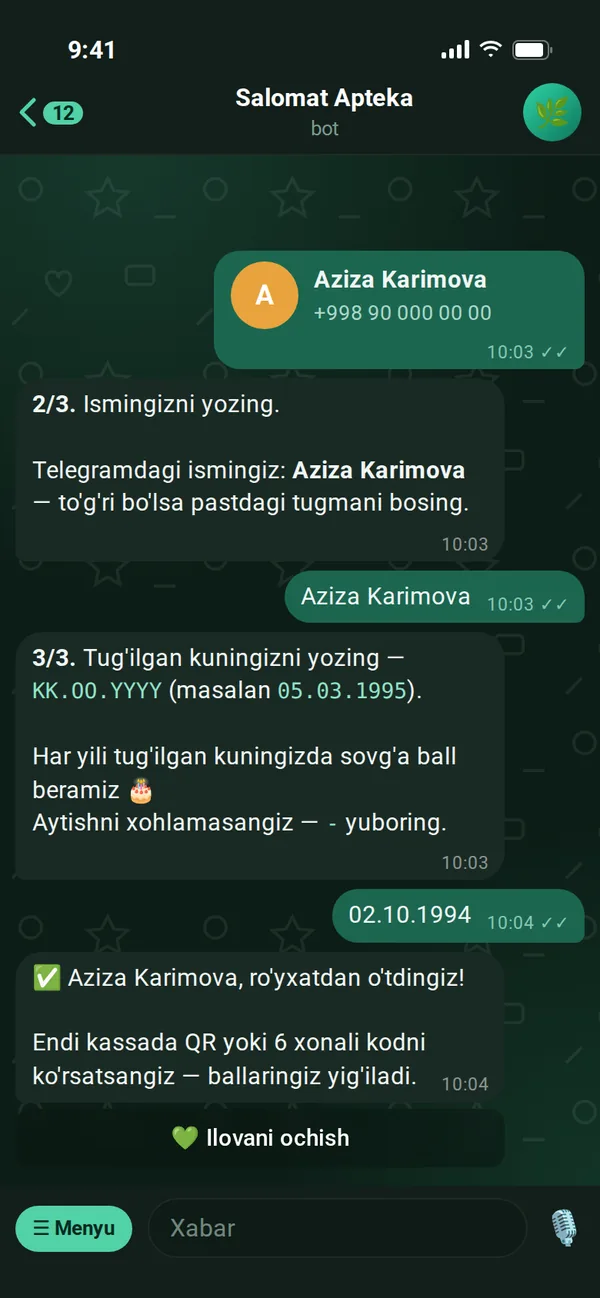
As soon as the cashier confirms the purchase, the customer gets a message: amount, points earned and redeemed, new balance. Below it is a "Rate the service" button — the customer can rate right away.
- Customers see for themselves that points were credited correctly — trust grows
- Automatic reply to ratings — your own text for each star count
- Receipts — on all plans; auto-reply to ratings — on Standard and Premium
Automatic messages
Greetings and reminders go out on their own
You do nothing — the system messages the customer at the right time.
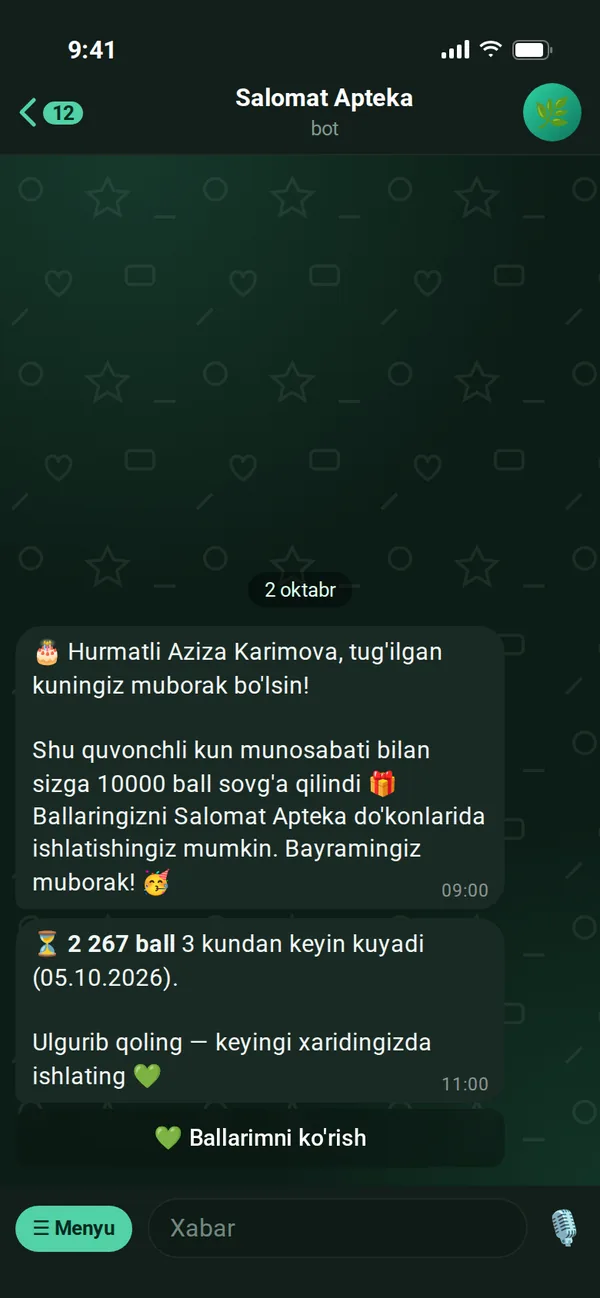
- On their birthday at 09:00 — a greeting by name and gift points
- A few days before points expire — a "don't miss out" reminder
- The "View my points" button in the reminder opens the app
Broadcasts
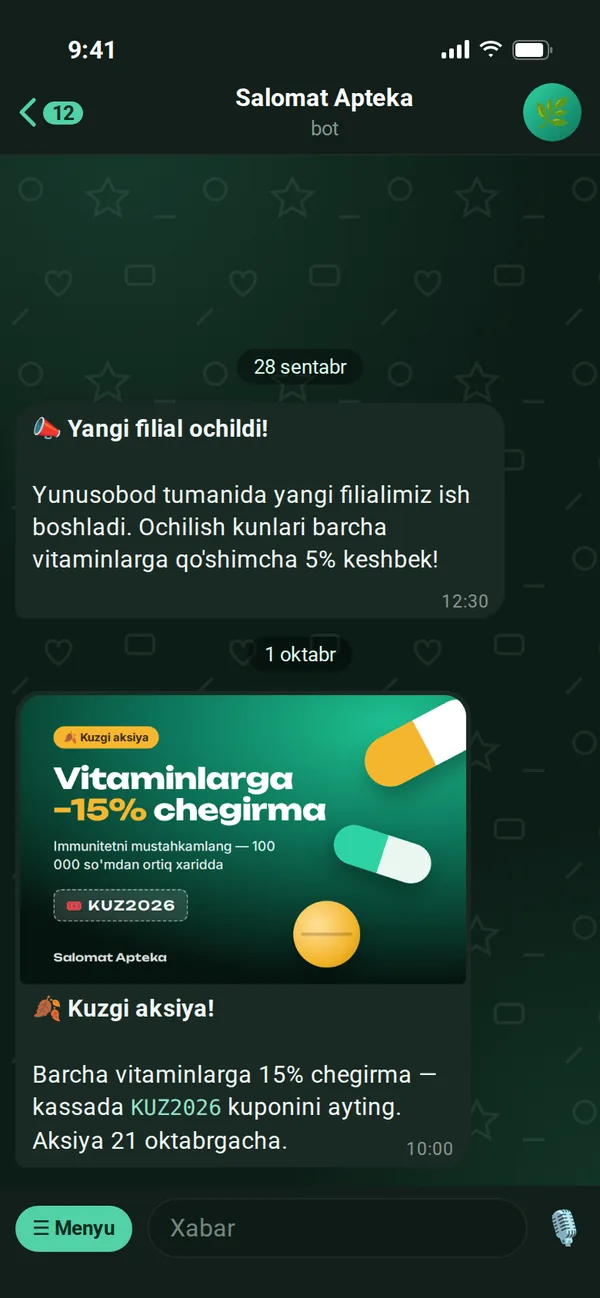
Promotions to everyone with one tap
You write news or a promotion in the panel, add an image and tick "Send to Telegram". The message goes to the chosen group: everyone, those who haven't visited in 30 days, or those with a birthday this month.
- Image + text in one message, long text sent separately
- To whom: all customers, dormant ones, or those with a birthday this month
- Customers who blocked the bot are removed from the list automatically
- Counts how many customers it reached
- On the Standard and Premium plans
Daily report
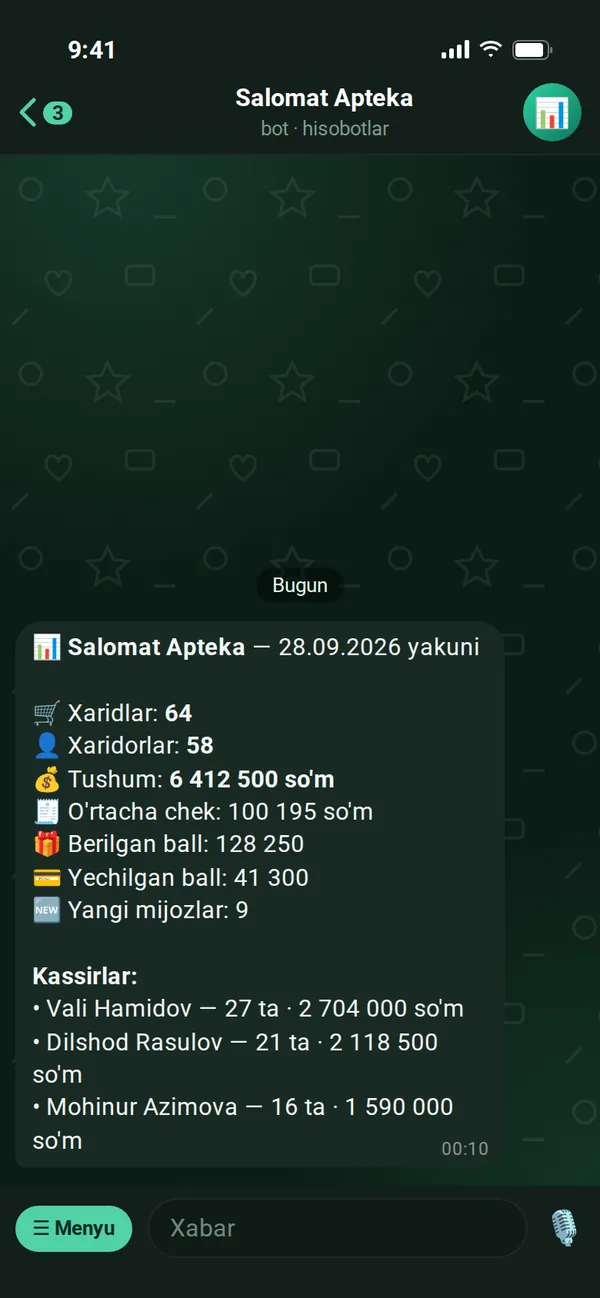
Every night — the day's summary on your phone
At 00:10 the bot sends you the results of the day just ended: purchases, shoppers, revenue, average receipt, points issued and redeemed, new customers and a per-cashier breakdown. Each cashier also gets their own results.
- Owner and managers — overall summary + cashiers
- Cashier — only their own shift results
- Know your business status without opening the panel
- On the Premium plan
QR banner
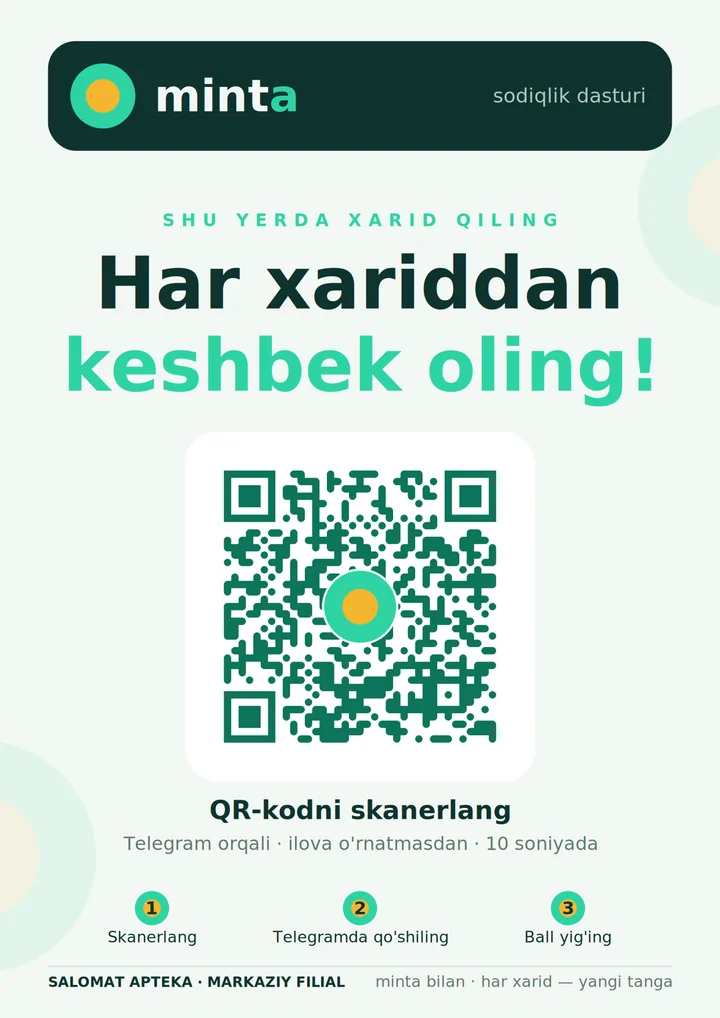
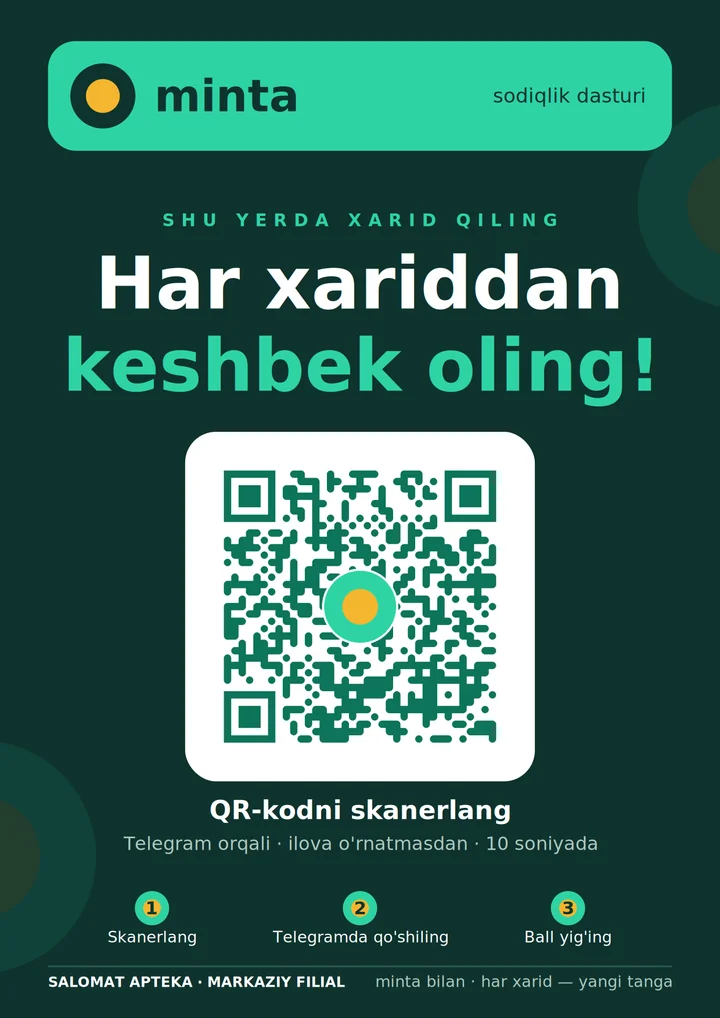
Print-ready A4 poster
The panel generates a QR banner for each branch itself: with the company name, branch and bot link. Download it as PDF or PNG, place it by the checkout — customers scan it and land in your bot.
- Light and dark design, portrait or landscape
- High-reliability QR — readable even under store lighting
- Tracks how many customers came from each branch's banner
Connect
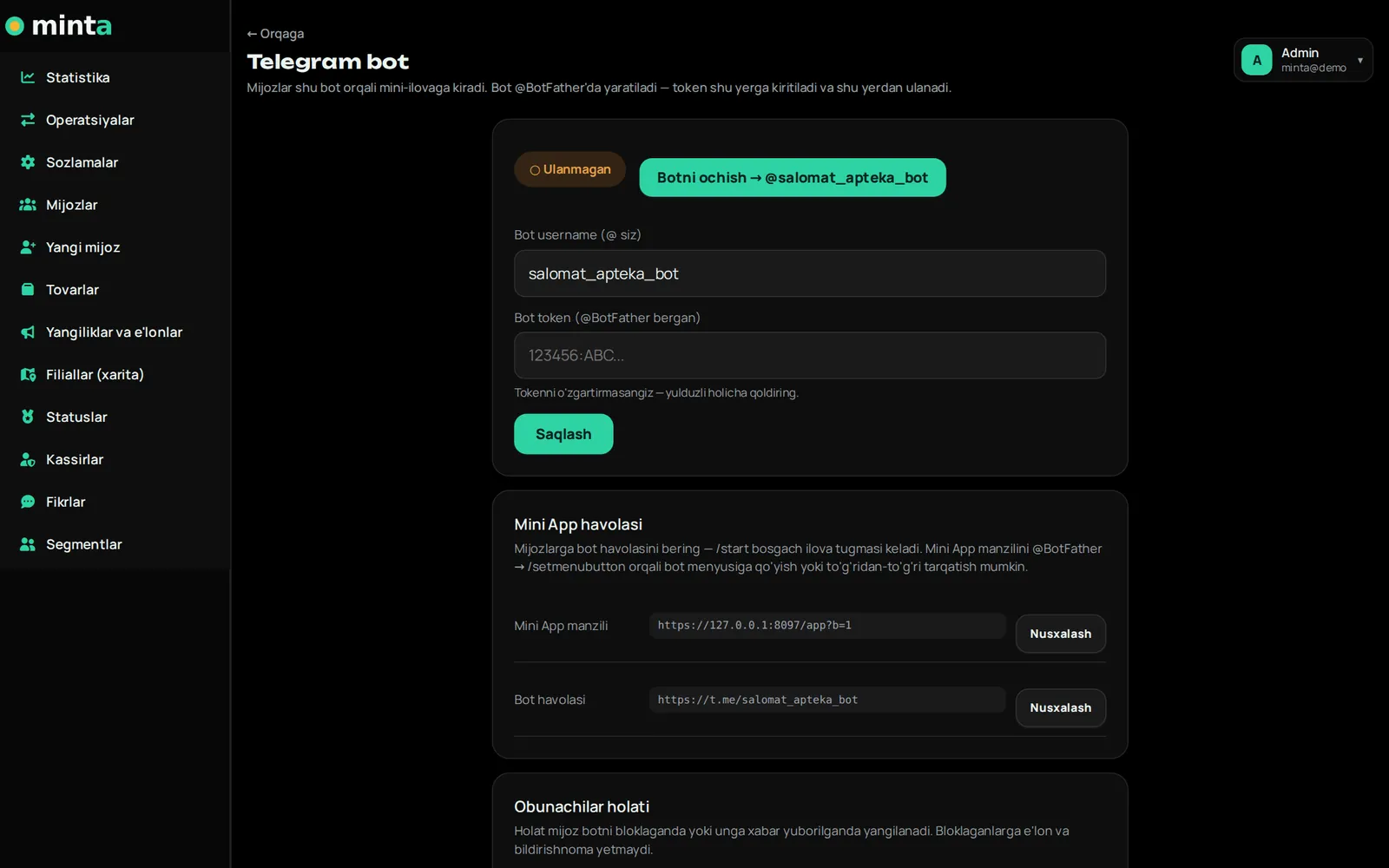
Connect the bot — 5 minutes
Create a bot in @BotFather, paste the token into the panel and click "Connect". The webhook, command menu and mini app button are set up automatically.
- Subscriber status: active, blocked the bot, no Telegram
- Security: each bot is verified with its own secret key
- If needed, we help you connect
Questions about the Telegram bot
Do I pay extra for the bot?
No. Telegram bots are free and so are messages — unlike SMS, there's no per-message fee.
What if we don't have our own bot?
Creating a bot takes 2 minutes: you give it a name and username in @BotFather. We help with the first connection.
What happens if a customer blocks the bot?
The system detects this automatically and removes the customer from the broadcast list. The customer's points and app are kept.
What language are messages sent in?
In the language the customer chose in the bot: Uzbek, Russian or English. The mini app opens in the same language.
More features
Customer app
A loyalty card inside Telegram
Telegram bot
Sign-up, purchase receipts, greetings and broadcasts
Cashier app
QR, scanner and offline sales
Control panel
Statistics, customers, reports
Marketing tools
Tiers, coupons, referral program, segments
Catalog and branches
Products, stock, import, map
Launch your loyalty program today
Try it free for 7 days. We open the account for you and help connect cashiers and set up the bot.